
GitHub Copilot as OpenAI-compatible APIs
Coxy is a lightweight proxy that lets you use your free GitHub Copilot quota with any OpenAI-compatible client, freeing the power of modern LLMs from your VS Code editor.
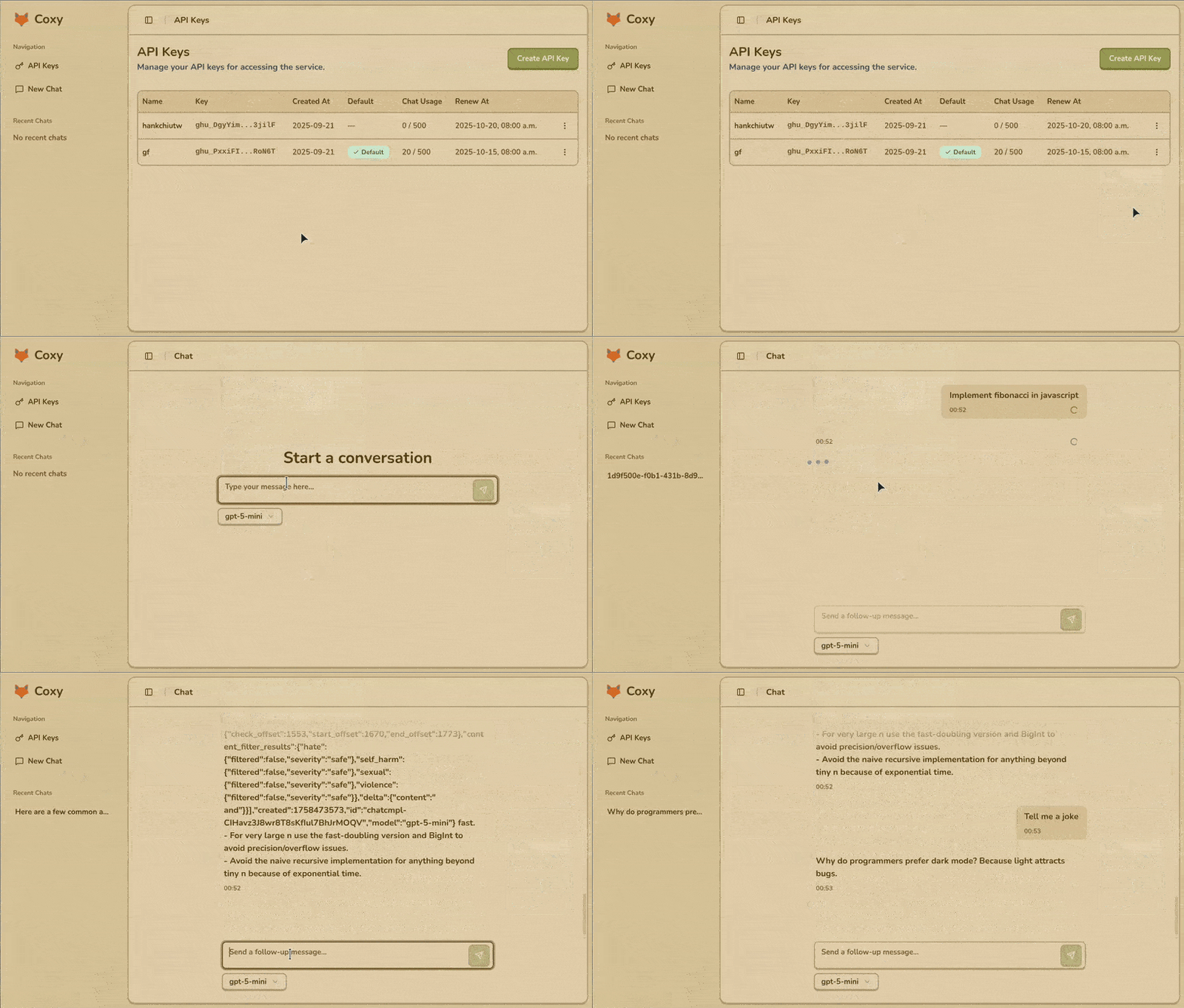
Why Coxy?
You have a lot of free quota on GitHub Copilot, you want to use it like OpenAI-compatible APIs.
You want the computing power of GitHub Copilot beyond VS Code.
You want to use modern models like gpt-4.1 free.
You have multiple GitHub accounts and the free quota is just wasted.
Host LLM locally and leave the computing remotely.
Features
Proxy API Endpoints: Supports /chat/completions and /models endpoints.
User-Friendly Admin UI: Easily log in with GitHub to generate and manage tokens, view usage statistics, and evaluate models with a built-in chatbot.
Broad Compatibility: Works seamlessly with OpenAI clients, LLM CLI, and Open WebUI.
Use Cases
Getting Started
1. Installation
Option 1: Use Docker
docker run -p 3000:3000 ghcr.io/coxy-proxy/coxy:latestOption 2: Use pnpx (recommended) or npx
pnpx coxy2. Setup
Browse http://localhost:3000 to generate or add tokens manually. Set a default token from the admin UI.
3. Quick Test Example
Your OpenAI-compatible API base URL is http://localhost:3000/api. Test it with curl:
curl --request POST --url http://localhost:3000/api/chat/completions --header 'content-type: application/json' --data '{"model": "gpt-4","messages": [{"role": "user", "content": "Hi"}]}'Troubleshooting
https://github.com/settings/copilot/features.localhost:3000, try using 127.0.0.1:3000 instead.Resources
Explore the full source code and contribute on official GitHub repository coxy-proxy/coxy.